Groups and a main contact
Put a family or a couple into one group. Mark the main contact with a star: they get the invitation and answer for the whole group.
Guest list
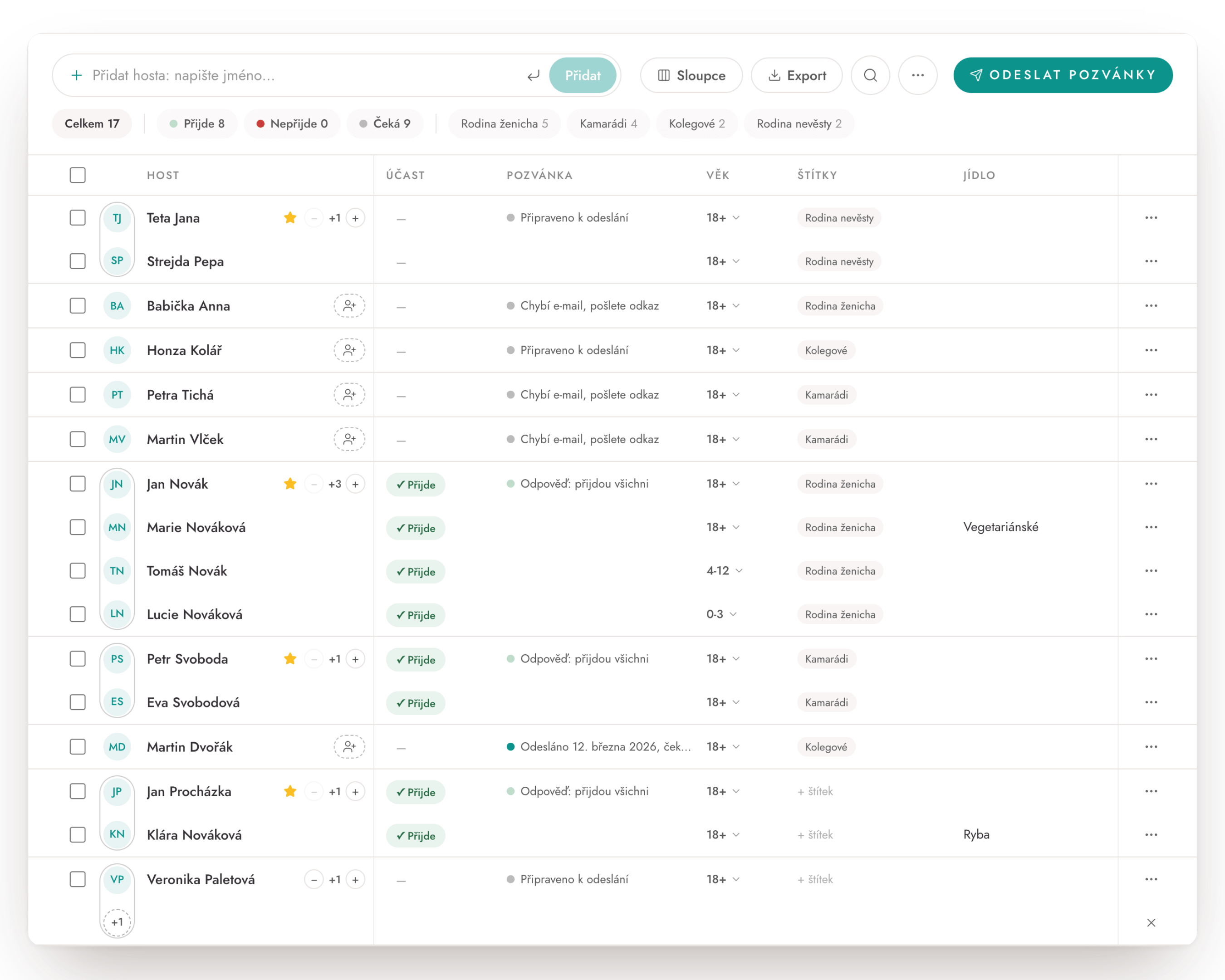
Every guest in one table. Put families and couples into groups, give them plus-ones and name your tags however you like. Answers from the form on your wedding website fill in by themselves, but you can also enter them by hand.
From the app
What the guest list does
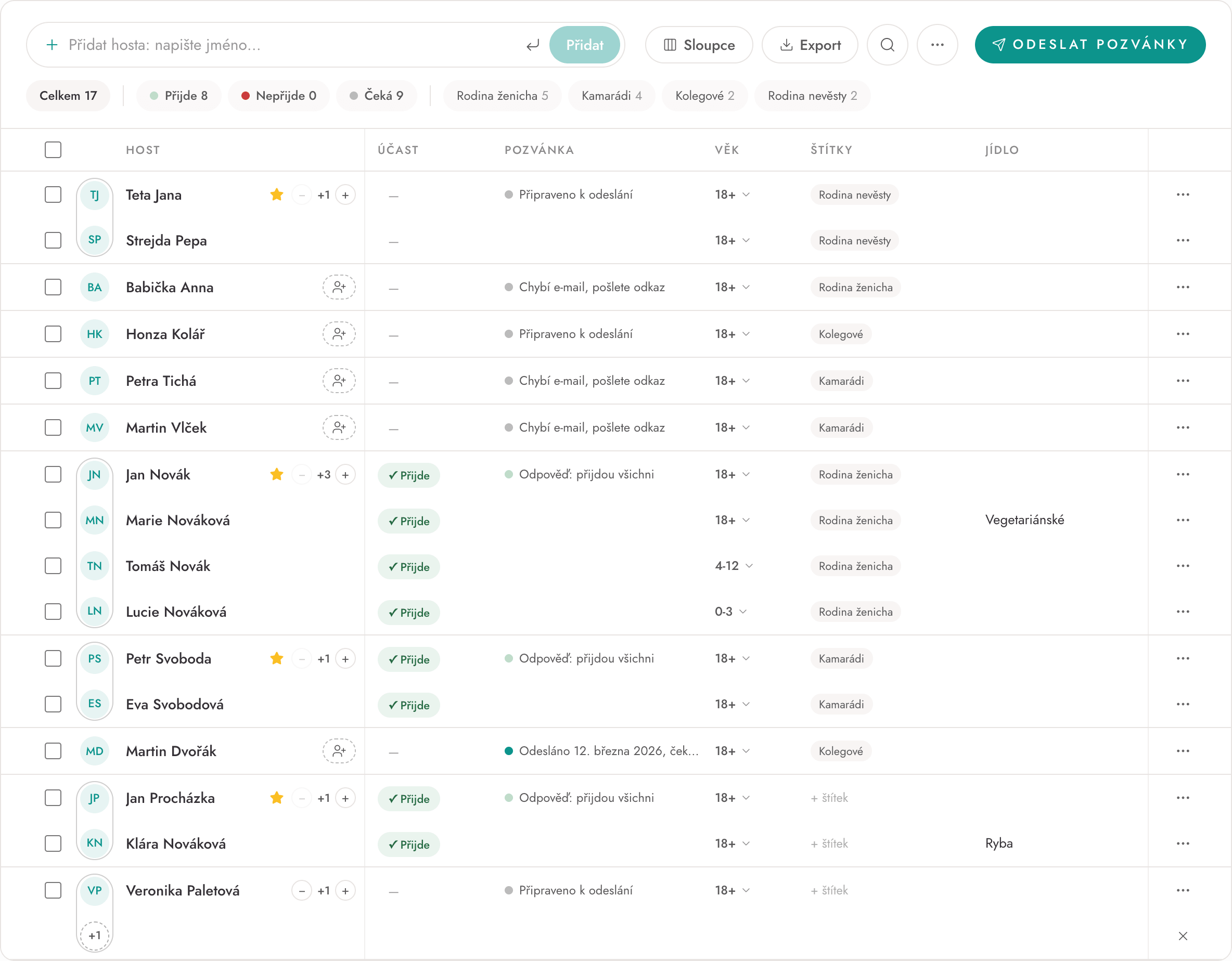
Put a family or a couple into one group. Mark the main contact with a star: they get the invitation and answer for the whole group.
Can guests bring someone? Add a plus-one in one click, even before you know the name. You fill it in, or the guest does when answering.
Bride's family, Friends, Colleagues: name your tags yourself and filter the list by them in one click.
Questions and answers are linked to the form on your wedding website and fill in by themselves. An answer by phone goes into the table on the guest's behalf.
At the top you see how many guests you have in total and how many are coming, not coming or still to answer. Pick your columns and drag them into order.
Download the list with every answer as Excel, CSV or PDF, for the caterer or the venue.
How it goes
Type a name and press Enter. The guest appears at the top of the list.
Tick the guests who come together and choose Group. Add plus-ones and tags.
The main contact of each group gets the invitation by e-mail with a link to your website. The answers land in the list.
Frequently asked questions
In WeMarry you type your guests' names into one table, put families and couples into groups and add plus-ones. Tags sort your guests, for example into the bride's family, the groom's family and friends. Answers from the form on your wedding website then fill in by themselves.
Yes, you build and edit the guest list in a free account. The RSVP form and sending invitations by e-mail come with the Medium plan, paid once when you publish the site.
A group is guests who get one invitation and answer together, such as a family or a couple. You mark the main contact with a star: they get the invitation and answer for the whole group.
Click the button with a person and a plus next to the main contact. The plus-one appears in the group as an open place, and you fill in the name, or the guest does when answering.
Yes. When a guest answers by phone, click into the cell in the table and fill in the answer for them.
Send the invitation as a link, for example over WhatsApp or text message. You copy the invitation link straight from the guest list.
Yes, you download the list as Excel, CSV or PDF, including your guests' answers to the questions on the form.
Up to 500 guests. If you have more, write to us.
Start planning
Start planning the wedding you want, today. Free to sign up, no credit card, no commitment. Everything in one place.
No credit card · Planner free · You pay only when you publish