
WeMarry started in 2022 and since then more than two thousand weddings have been planned with it. Over those years we collected a lot of feedback: what works, what slows you down and what you miss. We came to the conclusion that more patches would not fix it, so we are rebuilding WeMarry from the ground up.
The new version, which we call WeMarry 2027, is now in beta, and since October 2026 it is the only version open to new sign-ups. You can try it here:
In this article we sum up what the new version brings you, what stays the same, how the beta works and what it means for couples who already have a wedding website on WeMarry.
Why a new version and not just an update
Most of what you write to us comes down to the same roots: invitations to guests sometimes end up in spam, an update in the middle of the season could upset a finished website, vendors have no interface of their own and help only works by e-mail. We could have patched each of these separately. Instead we built a new foundation, on which changes can ship without any risk to live websites and outside the main wedding season.
At the same time we set ourselves the goal of keeping the new version as simple as the old one. You get more options, not more steps. Below are six things we think you will notice first. All of them already work in the beta.
A website that looks like yours, not like a template
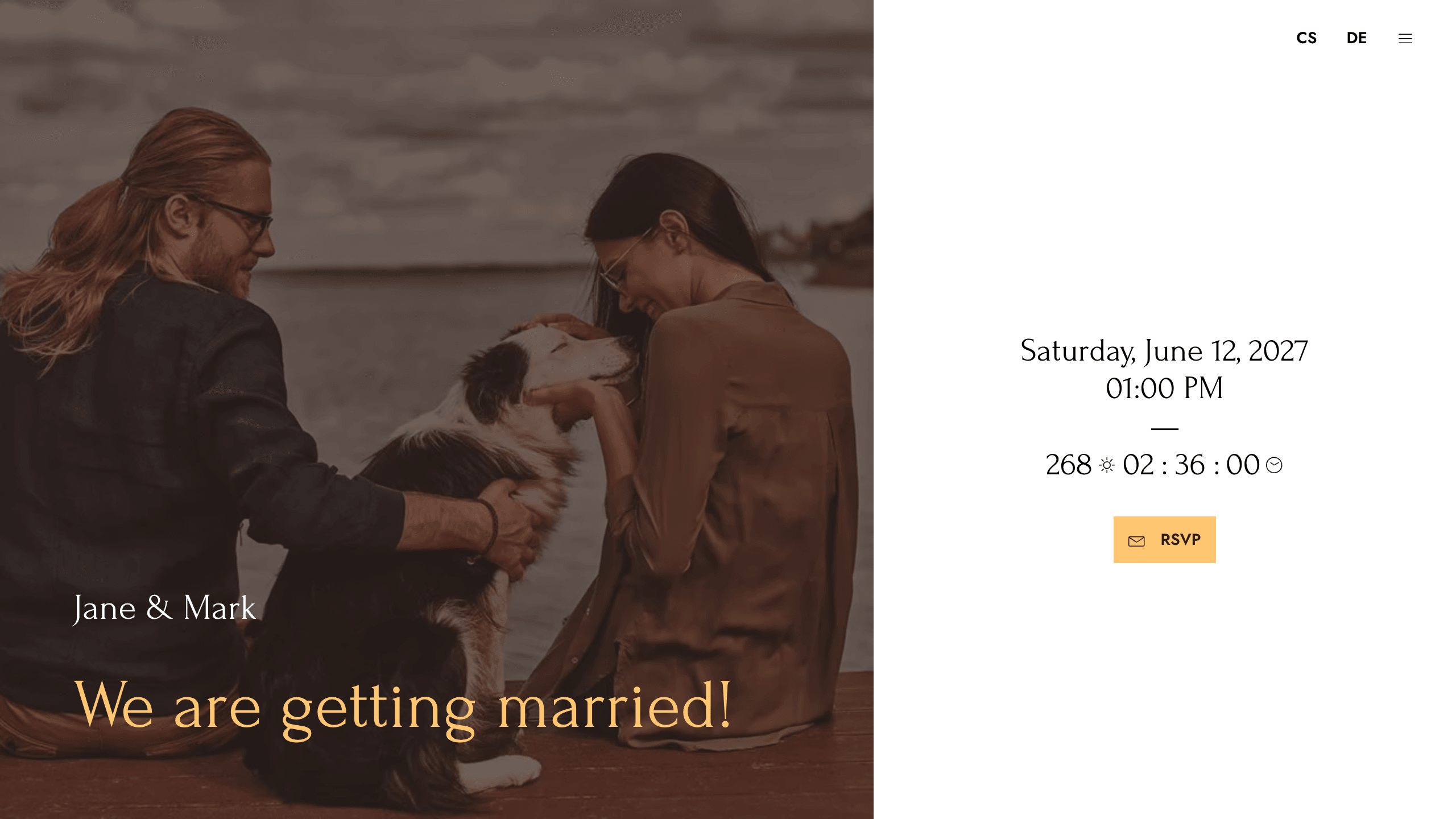
Until now you chose from three looks and hoped one of them would fit. Now you have eight templates: Modern, Playful, Elegant, three Traditional variants (Floral, Gold and Autumn), Watercolor and Ornamental. You can use each of them in two layouts: as a classic page, or as a split, where your photo stays on screen the whole time guests are reading.
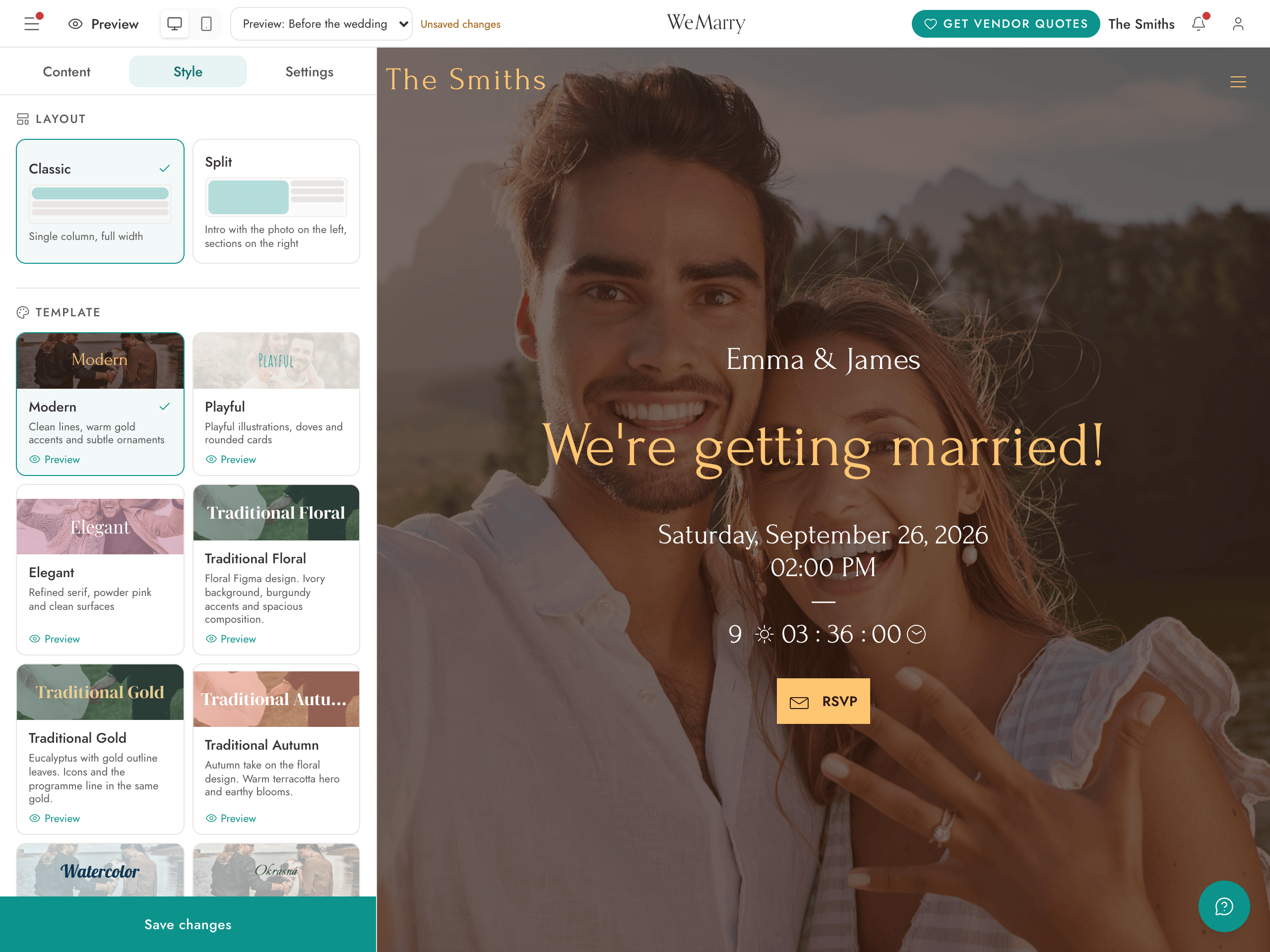
What else you can make your own:
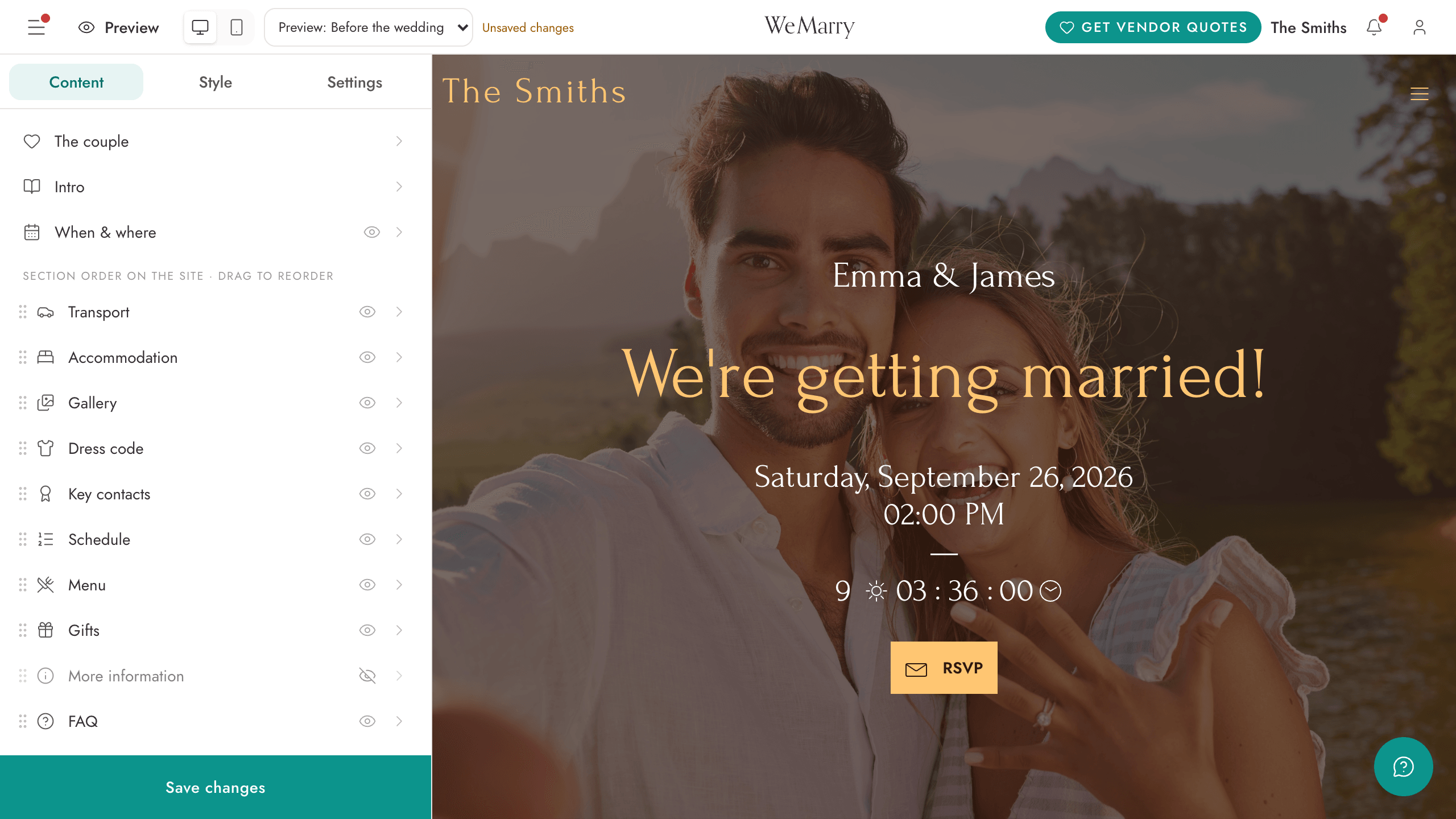
- Order of sections. Drag them into the order that makes sense for your wedding. Anything you do not need, you simply hide.
- Colours and fonts. Three colours and a choice of twelve fonts. The template’s decorations can be switched off.
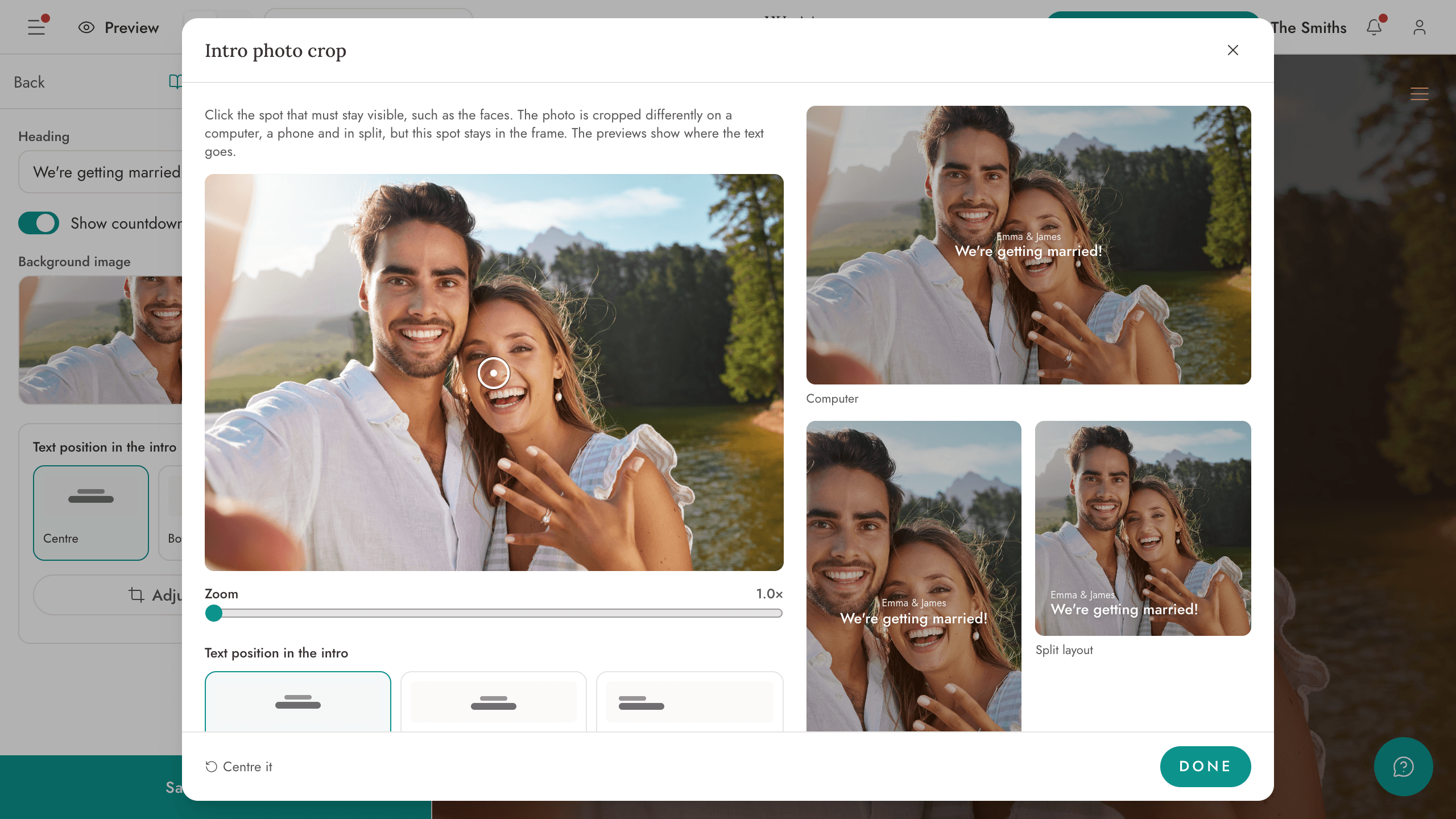
- Intro photo crop. Tap the spot that has to stay visible, your faces for example, and it stays in frame on a computer, on a phone and in the split layout. You place the text in the middle or at the bottom. No more photos with heads cut off on mobile.
The result: dozens of possible looks instead of three. No two wedding websites on WeMarry will look the same.
Guests get answers before they ask
Most messages from guests before a wedding are about three things: where it is, where to stay and what to wear. The new website answers them for you.
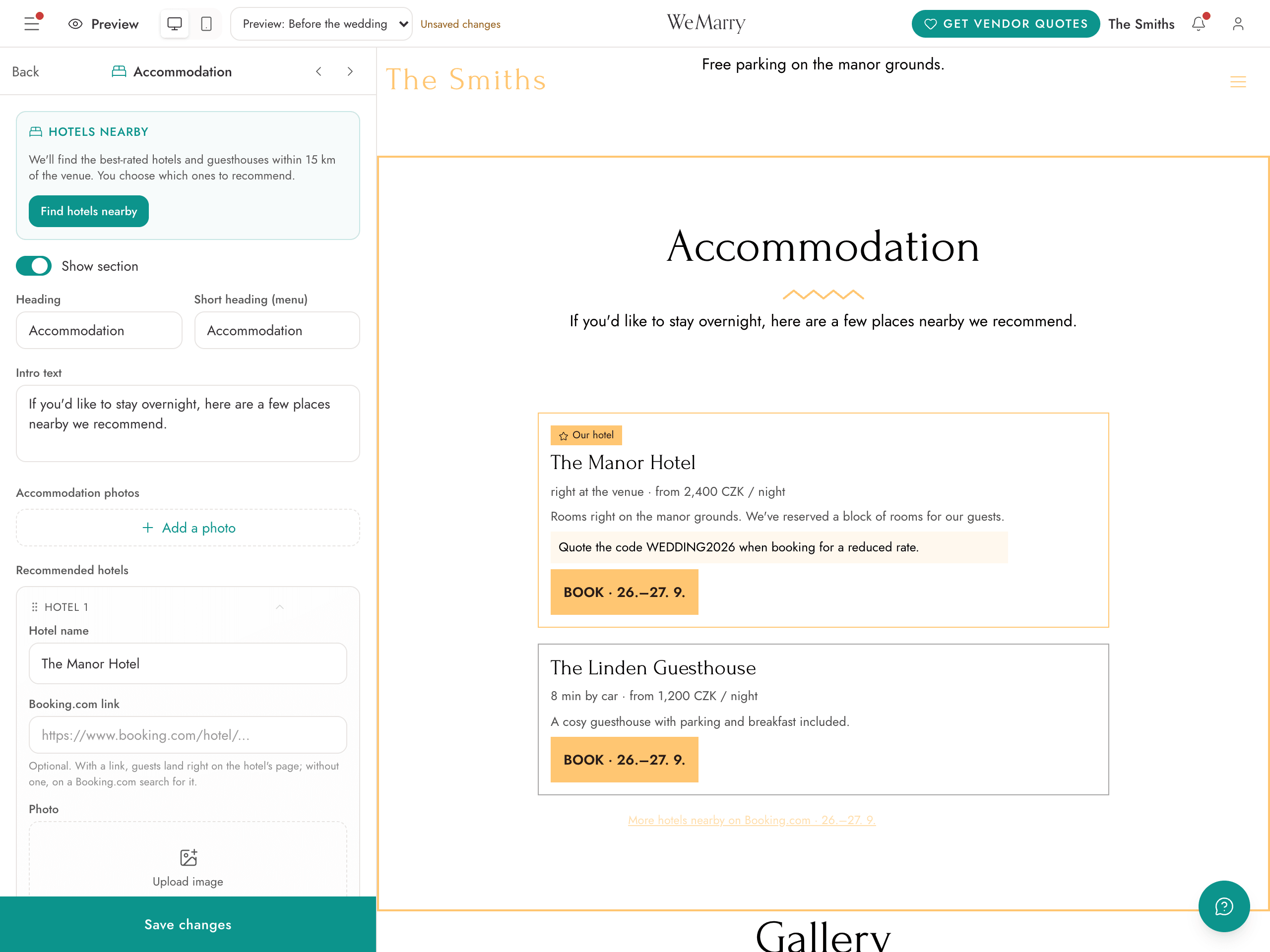
- Accommodation nearby. The app finds the best-rated hotels and guesthouses within 15 km of the venue, and you just tick the ones you recommend to guests. For a hotel you can mark a reserved block of rooms and add a discount code. Guests book a room through Booking.com with the wedding night already filled in.
- A map of the venue right on the website. Pick the venue from the suggestions and the map appears by itself.
- Dress code with colour swatches and sample photos, so nobody has to guess what “festive, but not black” means.
- Gifts with a QR code for payment. A guest can also reserve a gift right when they RSVP, so you do not end up with three toasters.
- A password for the whole website, or only for the RSVP form, if you do not want just anyone to find your wedding.
- The wedding in the guest’s calendar in one click, right after they RSVP.
- A website for guests from abroad, without translating all evening. Add another language, save, and the app translates the whole website from your main language. It does this once; after that the text is yours to edit as you like. It never translates names and never overwrites your own texts. The buttons, the RSVP form and the e-mails to guests speak all 12 languages, from English to Ukrainian. Automatic translation is part of Medium and Premium.
One website for the whole journey
You do not build the website three times. It has three phases: first a Save the date, then the full website with the programme and RSVP, and after the wedding a gallery. You schedule the switch in advance and the website changes by itself on the day. After the wedding, the “RSVP” button becomes “Upload photos”.
An RSVP that asks what you need to know
Guests used to answer yes or no, and you chased the rest yourself. Now you build the form the way you want.
- Your own questions for the whole household and for each guest separately: diet, transport, overnight stay, a song for the dance floor, anything. The answer can be text, a choice of options or a number.
- Children by age and a limit on how many people a guest can bring.
- E-mail invitations straight from the app. We log every e-mail sent, so you know what arrived and nothing disappears silently.
- Confirmed guests go straight into the seating chart, where you draw tables in real metres and can copy and rotate them.
Offers from vendors come to you
This is the part we label as beta even inside the beta. Instead of calling ten companies, you fill in one form.
- When you set up your wedding you say what you want help with, a photographer, a venue or catering for example. Vendors from your region and field see the request and send you an offer with a price.
- A vendor does not know your name or contact details until you click “I’m interested”. No unwanted phone calls. You go through the offers in peace and reply only to the ones that caught your eye.
- For you it is free and with no commission.
- If a wedding coordinator runs your wedding, they send you vendor suggestions with all the details straight into the app, and you just approve them.
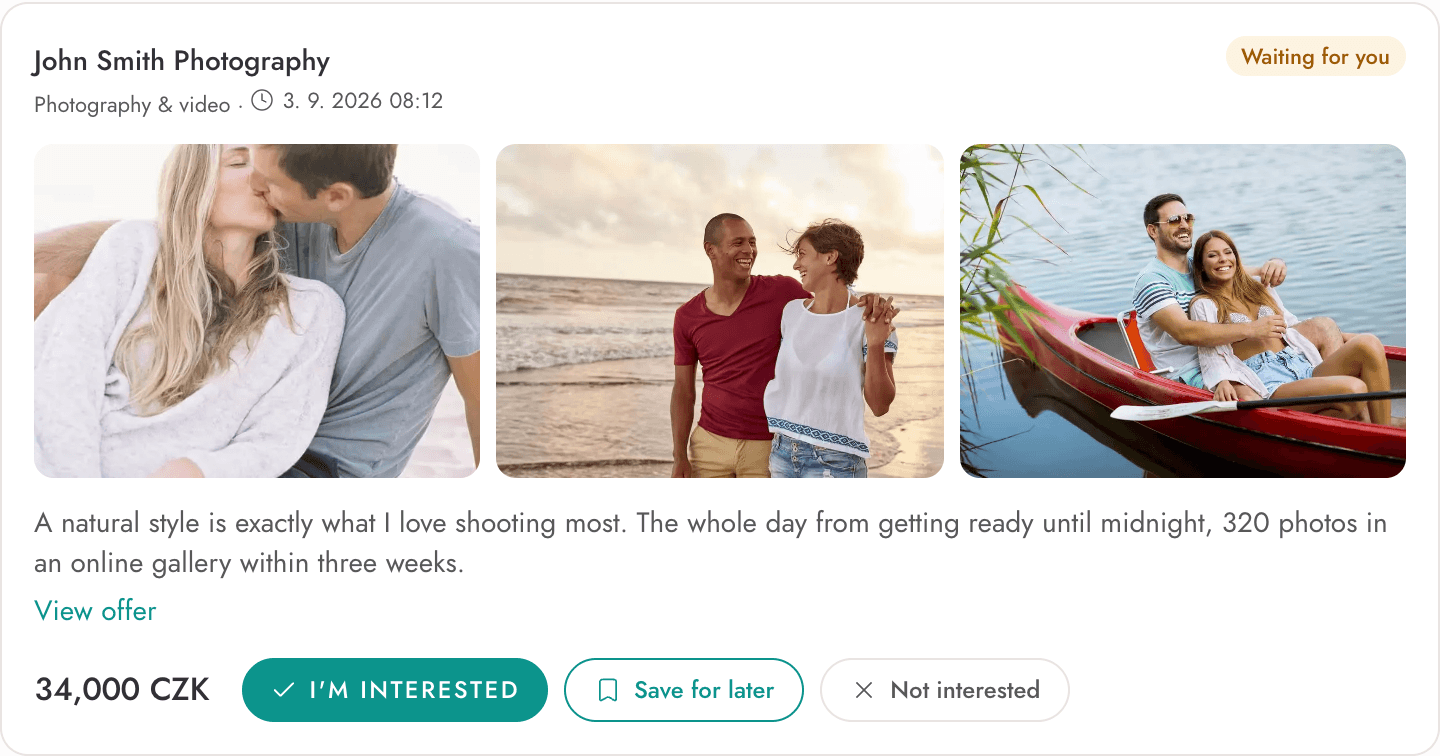
To be honest: vendors are only starting to join the new version, so some requests may get no offer. That is exactly why we are releasing it already in the beta.
The planner is free, you only pay for the website for guests
We changed the pricing so it is clear up front what is free and what you pay for. Planning costs nothing. You only pay when you want to show the website to your guests. Prices are in Czech crowns (CZK).
| Plan | Price | What you get |
|---|---|---|
| Free | CZK 0 | checklist based on your wedding date, budget, wedding day schedule, vendor database and offers, website editor with preview |
| Lite | CZK 990 | publishing the website for guests, a second language |
| Medium | CZK 1,490 | everything in Lite, RSVP, e-mail invitations, saving the seating chart, automatic translation of the website into another language, your own domain |
| Premium | CZK 1,990 | everything in Medium, photo collection from guests via QR code |
You pay once, no monthly fees.
And two small things you will appreciate when something is unclear: the help built into the app knows every one of its screens and answers even at night. When something does not work, you report it in one click from the account menu and we attach the technical details for you.
What changes: the old and the new version compared
| WeMarry today | WeMarry 2027 | |
|---|---|---|
| Simple wedding website builder | yes | yes, with more ways to make it your own |
| Wedding website templates | 3 | 8, each in two layouts |
| RSVP | an answer for each guest separately | your own questions, such as diet or transport, children by age |
| Online invitations | sent from the app, connected to RSVP and the guest list | stronger protection against landing in spam, a log of every e-mail sent |
| Accommodation for guests | a text section | hotels nearby with booking through Booking.com |
| Shared photo gallery with QR | yes | yes, with the post-wedding gallery as a separate phase of the website |
| Own domain and a second website language | yes | yes, another language is translated automatically and the website speaks to guests in 12 languages |
| Checklist and budget | yes | yes, a checklist based on your wedding date |
| Seating chart | drag and drop connected to RSVP | more variants, copying and rotating tables |
| Offers from vendors | enquiries to individual vendors | a request in the app, offers with prices, you release your contact yourself |
| Wedding day schedule | no | yes |
| Help chatbot | no | yes, with real knowledge of the whole app |
| Dedicated interface for wedding vendors | no | yes, with everything a vendor needs |
Beta: what it means in practice
- The new version works and you can set up your wedding in it, but we are still fine-tuning some parts. You may run into a bug or an unfinished screen.
- Sign-up to the beta is open now. The account and wedding you create in the beta stay valid after the full launch.
- Every bit of feedback helps us fix bugs before the main season comes, that is May to September 2027. Send bugs and ideas to info@wemarry.io.
- Who the beta is for: every couple that is still planning their wedding. If you already have a website in the old version and your wedding is in the next few weeks, stay with it; it keeps working without any change.
What happens to the old version
- Sign-ups to the old version at wemarry.app end in October 2026. From October we send new couples only to WeMarry 2027.
- If you already have a website or account in the old version, you do not need to do anything. Logging in stays the same (you will find the link in the footer of this website), and the website and account work at least until the end of 2026. We will announce the exact date the old version ends by e-mail well in advance.
- Existing weddings are not moved to the new version automatically. If you want to switch, you set up your wedding again in the new version; you carry over texts and the guest list from the old version by hand (guests can be exported from the old version).
Timeline
| When | What |
|---|---|
| October 2026 | new couples only to WeMarry 2027 at app.wemarry.io, sign-ups to the old version end |
| Autumn and winter 2026 | we fine-tune based on your feedback, the old version runs unchanged |
| 31 Dec 2026 | full launch of WeMarry 2027 and end of the introductory price of the Lite plan |
| 2027 | the old version runs at least until the end of 2026; we will announce the exact end date by e-mail well in advance |
How to get involved
Create an account in the new version, try building a website, invite a few guests and go through the planner. Anything that trips you up, write to us at info@wemarry.io. We describe how the current version works step by step on the How it works page.
All new features will be available to every user of the new version, no matter when they signed up.