Replies straight in your guest list
See who is coming, who is not and who has yet to reply. No copying from messages into a spreadsheet.
Guests find everything at one link and reply from their phone. You get the answers in your guest list.
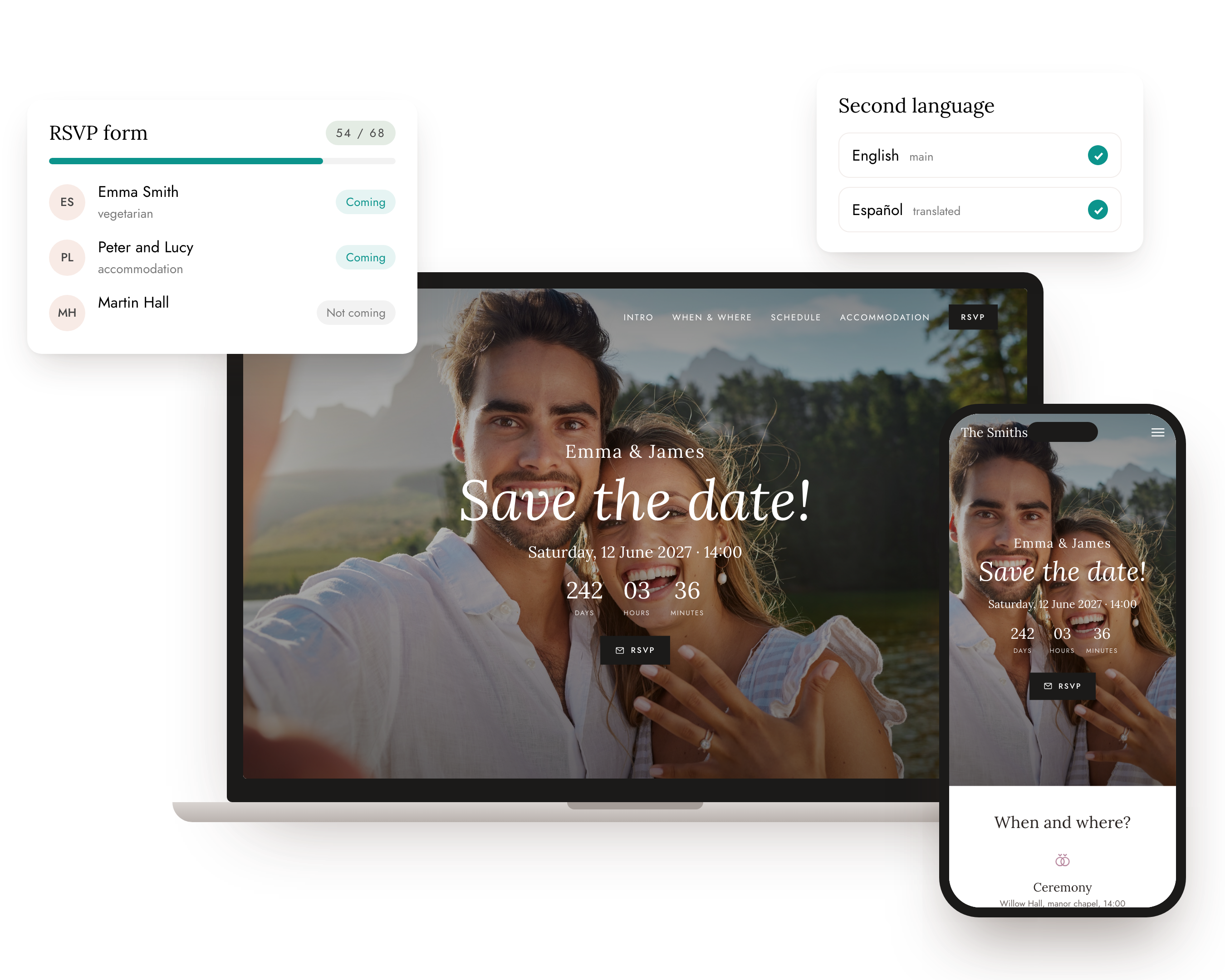
One link
Guests ask where and when it is, where to stay and what to wear. You need to know who is coming, with whom and what they will eat. On a WeMarry wedding website both live at one address: a guest reads the programme, the venue and the accommodation and replies to you in the same moment.
No separate form that gets lost in an inbox and no reply cards. Put the link or the site's QR code on your invitation and the website does the rest.
How it works
Pick a template and add your names, the date, the venue and the programme. It takes a few minutes and it is free.
A form appears on the site. Add the questions you really need, about food or accommodation for example.
By e-mail, on WhatsApp or as a QR code on the invitation. The replies gather in your guest list by themselves.
The form
Only ask what you will actually plan around. Every extra question is a reason for a guest to put off replying.
Address and phone number if you already have them, gifts (those belong in their own section of the site) and anything you will not do anything with. You add your own questions to the form as short text, a choice of options or a number.
What you get
See who is coming, who is not and who has yet to reply. No copying from messages into a spreadsheet.
Each family can get its own link to the wedding website. Its reply then lands with the right guests in your list.
Guests who said yes are ready to be seated at tables. You have the numbers for the caterer straight away.
Anyone who has not replied gets an e-mail reminder sent straight from your guest list.
Lock the RSVP with a password guests find on the invitation. The rest of the site stays open.
Fill in the wedding website and the form in a second language and guests switch languages themselves.
Timing
Send the invitations with a link or QR code to your wedding website and open the form.
The RSVP deadline. Put it on the site and on the invitation so it is clear.
Send a reminder to anyone who has stayed quiet. Then finish the seating chart, the menu and the accommodation.
Feel free to copy them and make them your own.
You will find everything about our wedding on our website. Please RSVP there by 31 May.
Please let us know by 31 May whether you can make it. It helps us plan the food, the seating and the accommodation.
Hi, we can't wait to see you! We are still missing your reply. It only takes a minute on our wedding website.
Comparison
Do still send paper invitations, especially to grandparents. Just put the link or QR code to your wedding website on them.
Building your wedding website is free. RSVP, e-mail invitations and the seating chart come with the Medium plan for a one-time €59, and with Premium. You only pay when you publish the site for your guests.
Frequently asked questions
Switch on the form on your WeMarry wedding website and send your guests the link. A guest reads about the wedding and replies in the same place. The reply shows up in your guest list straight away.
No. Guests just open the link or scan the QR code and reply in the browser, on a phone or a computer.
Usually 4 to 6 weeks before the wedding, so there is time for the seating chart, the menu and the accommodation. Put the deadline on the site and on the invitation.
Your guest list shows straight away who has not replied yet, and you send them an e-mail reminder in one click.
Add your own questions to the form: short text, a choice of options or a number. Only ask what you will plan around.
In your guest list. Answers from the form flow there by themselves, and guests who said yes are ready for the seating chart too.
Yes. You can lock just the RSVP or the whole wedding website. Put the password on the invitation.
Building a wedding website is free. RSVP comes with the Medium and Premium plans, paid once when you publish the site, with no monthly fees.
Your wedding website goes well with the guest list , online invitations , seating chart and wedding website templates .
Start planning
Start planning the wedding you want, today. Free to sign up, no credit card, no commitment. Everything in one place.
No credit card · Planner free · You pay only when you publish